Bunker
A Windows program for running a Rust server over RCON, without starting the game.
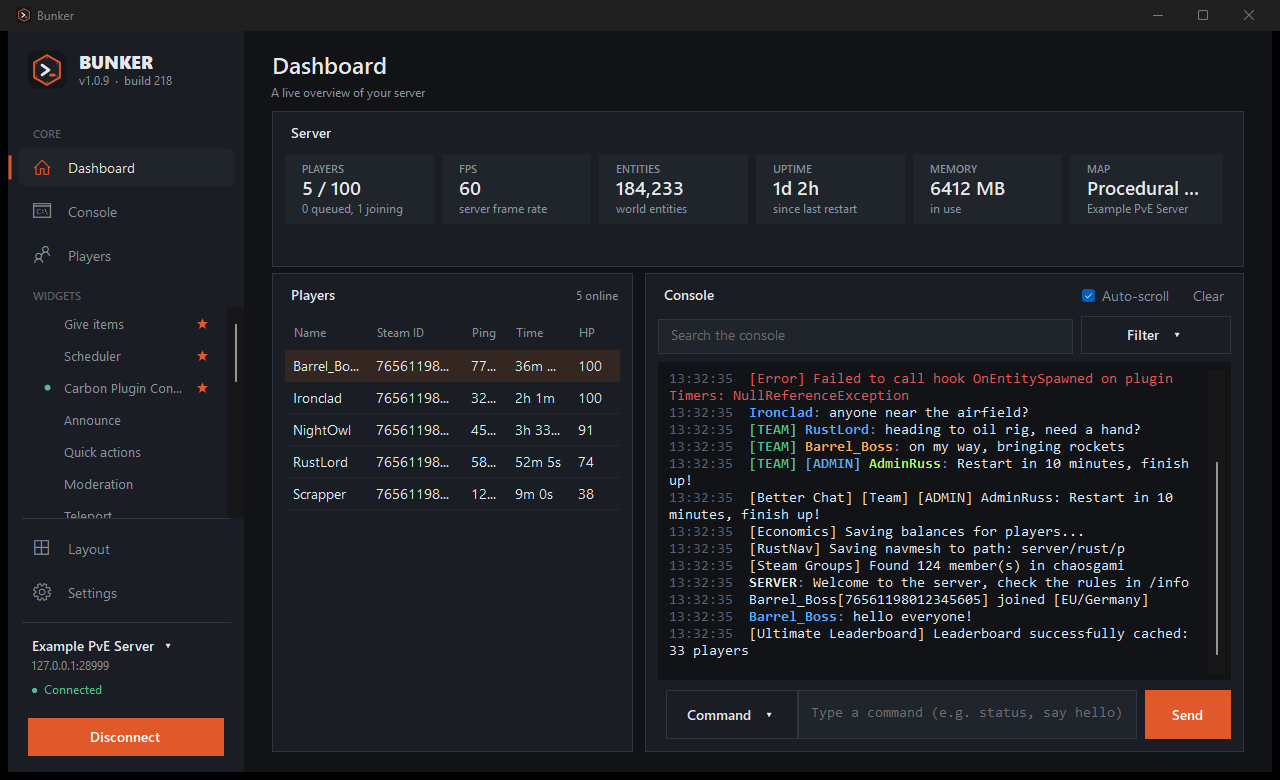
Rust servers are administered over RCON, which is a plain text connection. Bunker sits on top of it. You get the live console, the player list, and buttons for the commands you would otherwise type from memory: kick, ban, give an item, save the world, warn about a restart.
Download
| Microsoft Store | Listed as Bunker RCON. No Windows warnings, and the Store keeps it up to date. | Open the Store page |
|---|---|---|
| Installer | Installs for your user only, with no admin prompt. Latest version: see the releases page. | Bunker-Setup-latest.exe |
| Source | All of it, under the MIT licence, with the tests. | GitHub |
The installer is not code-signed, so Windows SmartScreen may say the publisher is unknown. Choose More info, then Run anyway. If Smart App Control blocks it, right-click the file, open Properties and tick Unblock. The Store version has no such warning.
What it does
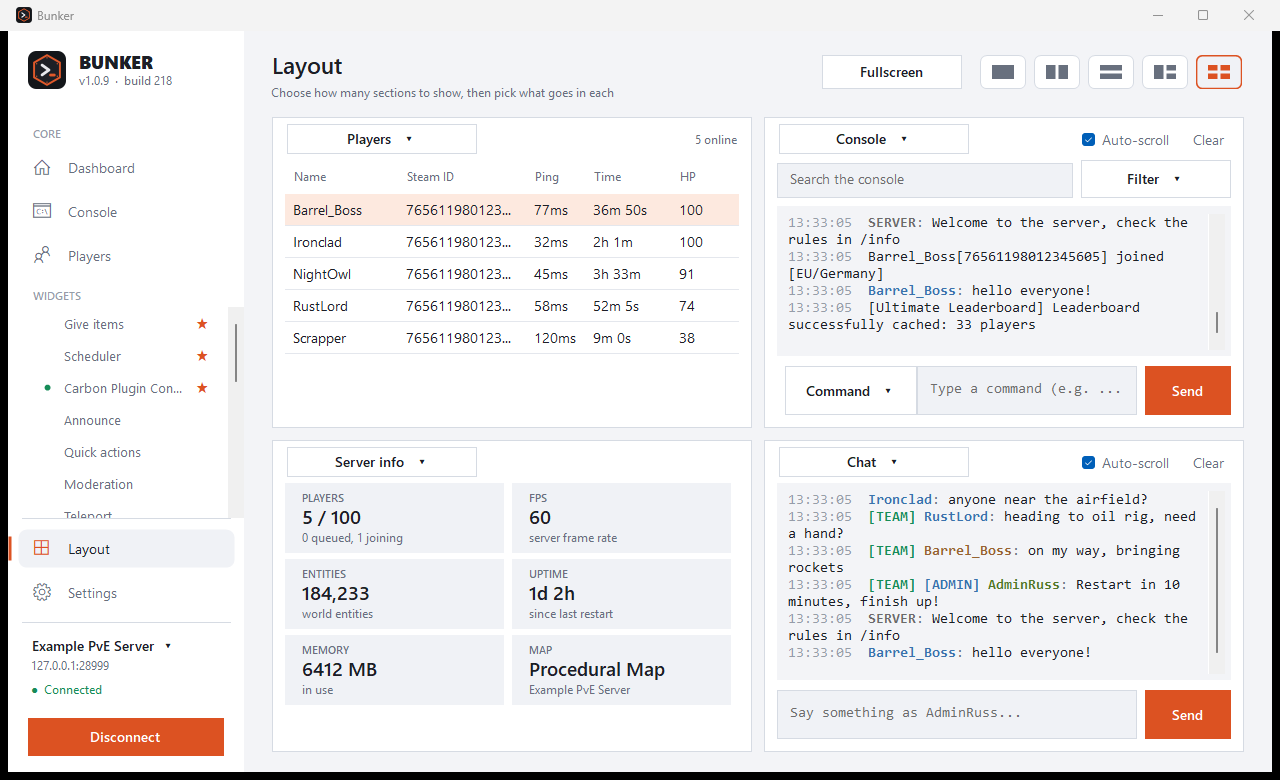
Console. Live output, colour-coded, and a box that runs any console command. Command history with the arrow keys, search, a choice of font, and filters that hide a noisy plugin (say, everything tagged [Economics]) or any lines containing words you pick. You can save what you see to a text file.
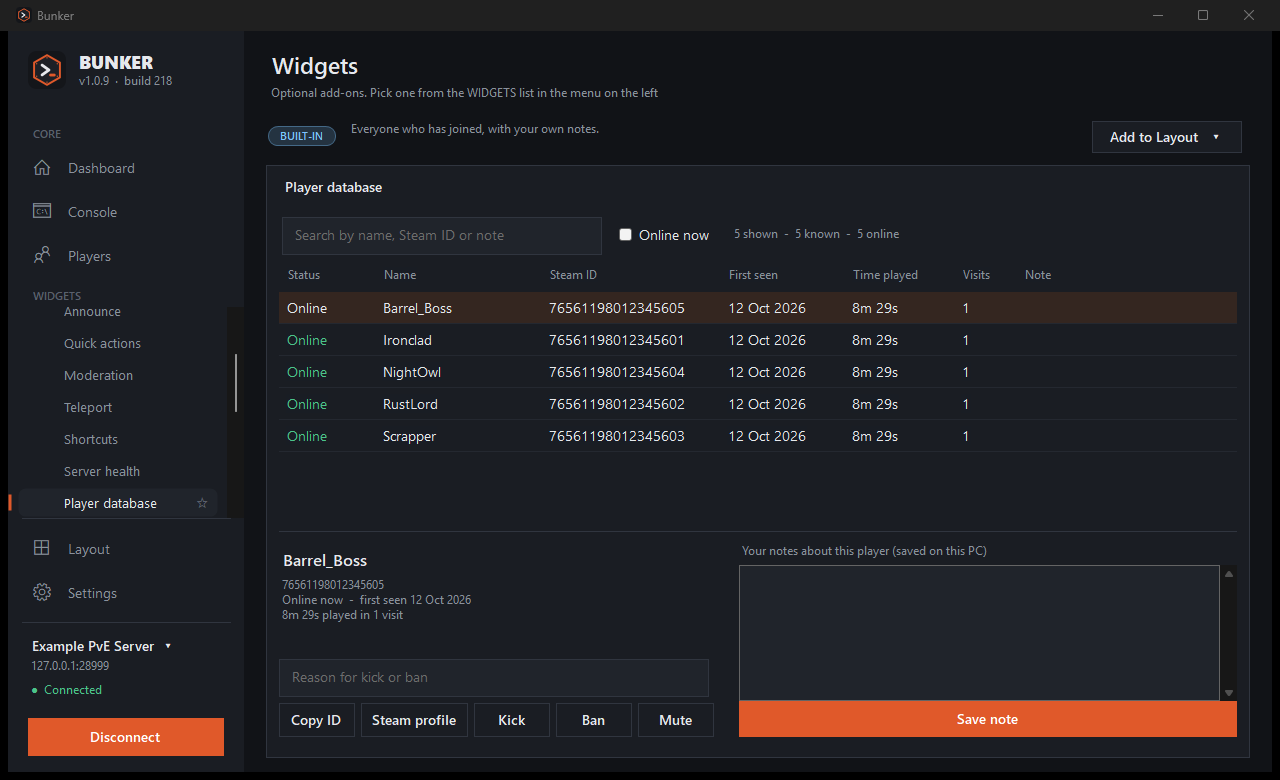
Players. Ping, time played and health for everyone online. Right-click a player to copy the Steam ID, open their Steam profile, kick, ban, mute, teleport, give an item or write a private note. The same menu works in the player database, so it also works on people who have left.
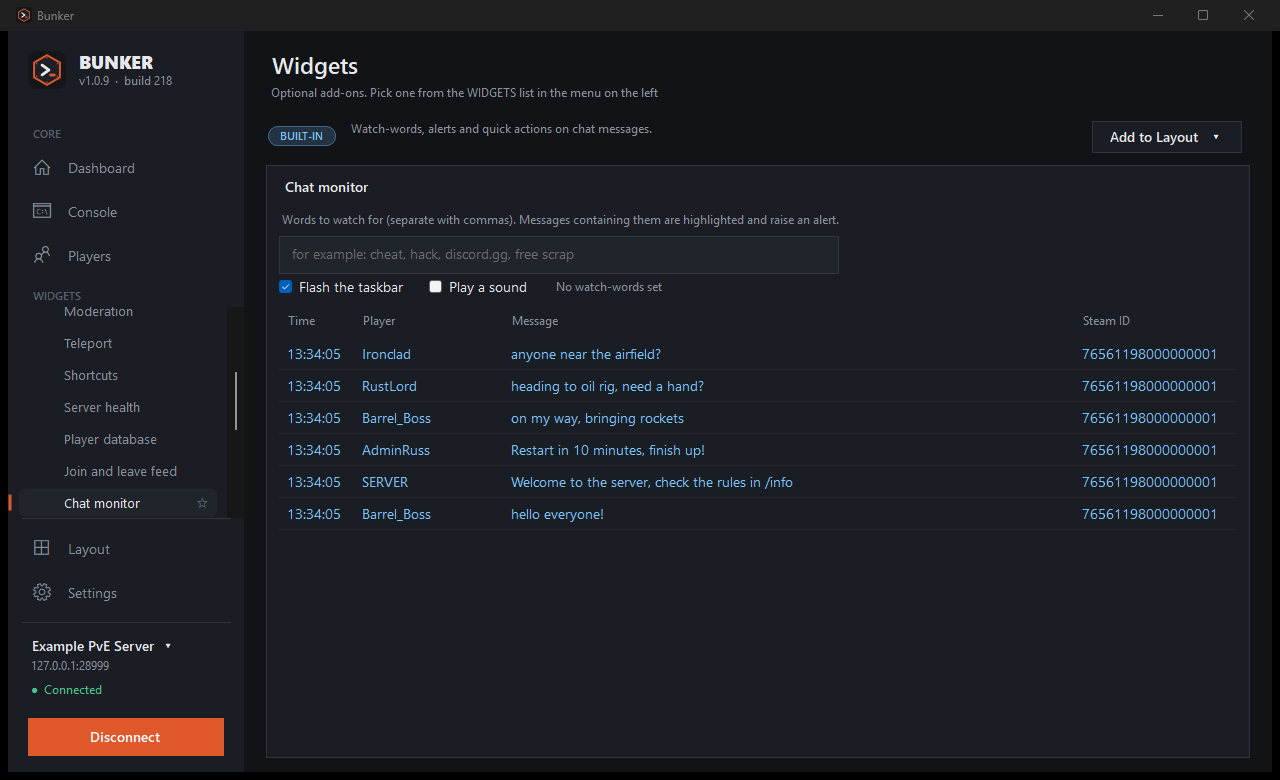
Chat. Chat from Bunker under your own name, colour and Steam picture instead of SERVER. Incoming chat looks the way it does in the game, with coloured names, [TEAM] tags and plugin prefixes such as [ADMIN]. A Command / Chat switch in the console box decides which one you are typing, and Bunker asks before it sends ordinary words as a command.
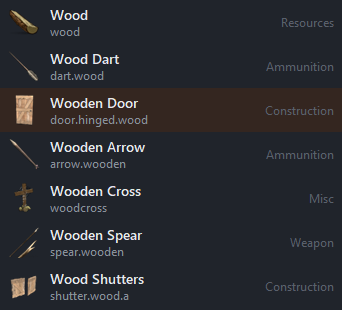
Items. Type "wood" in Give items and pick it by its picture. The list is read from the game's own files and refreshes when Rust updates.
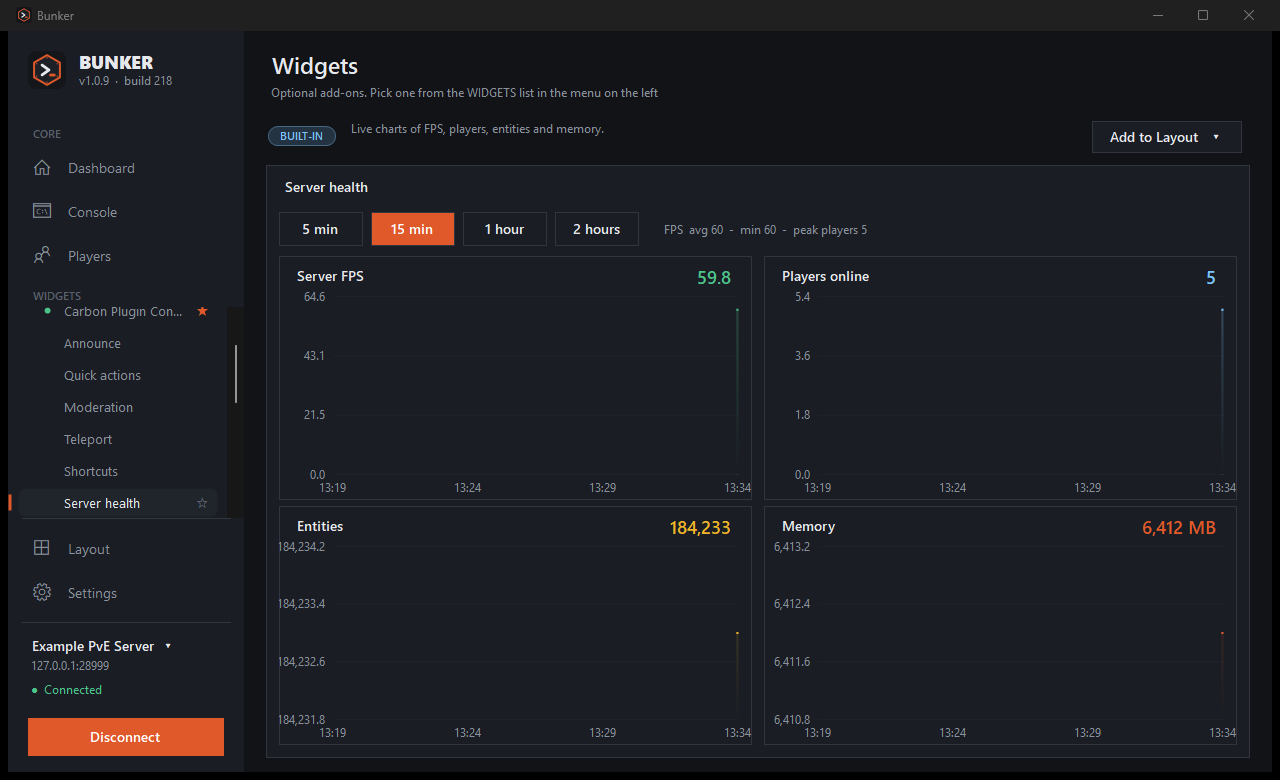
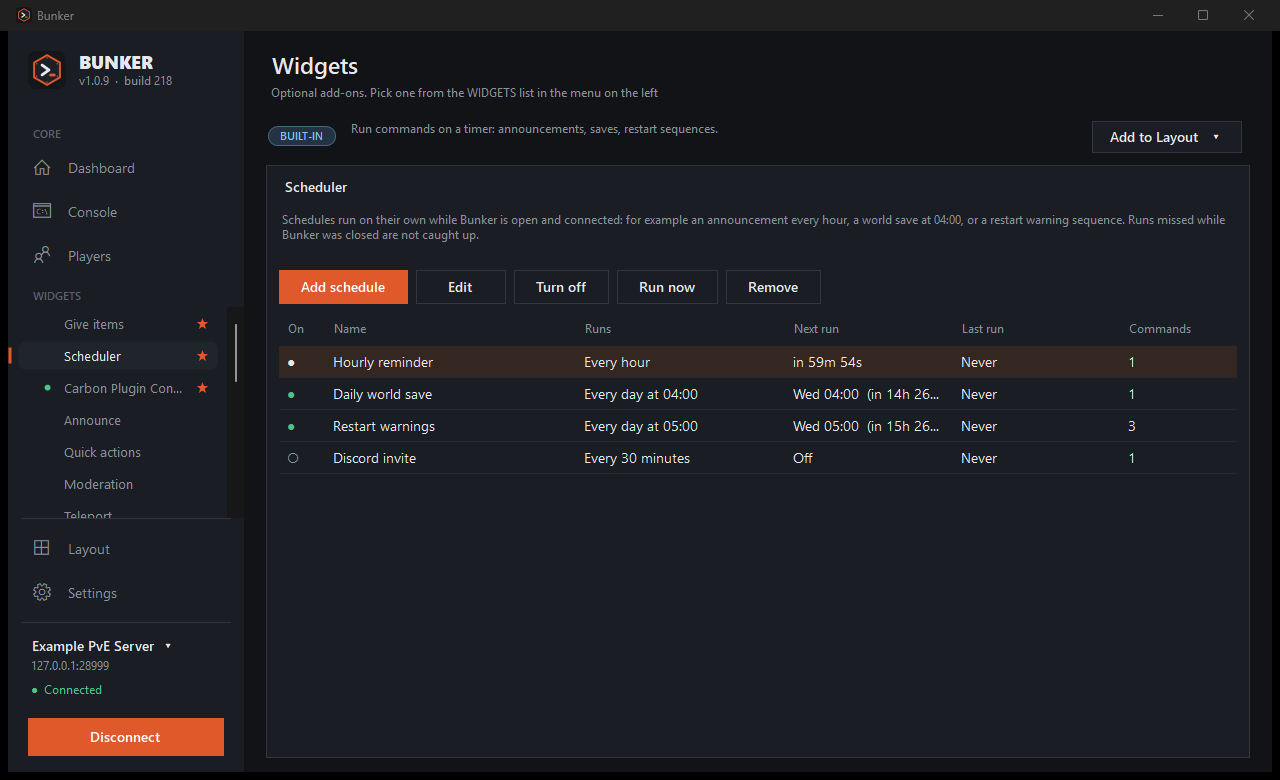
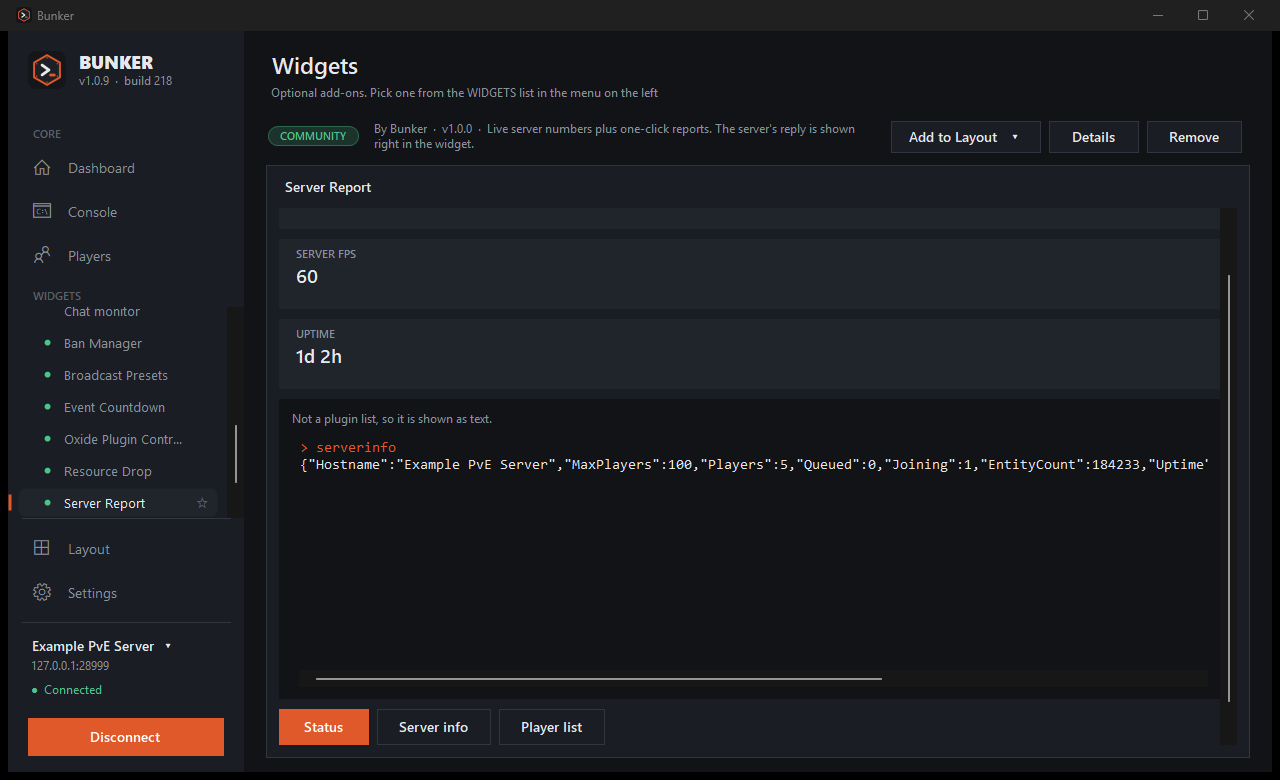
Scheduler and health. Recurring announcements, a daily world save, and restart warnings with waits between them. Separate charts for FPS, players, entities and memory, from the last five minutes up to two hours, which is usually enough to see when the lag started.
Player database. Everyone who has joined, with your own notes, plus a live join and leave feed. Export it as CSV for Excel, Google Sheets or LibreOffice.
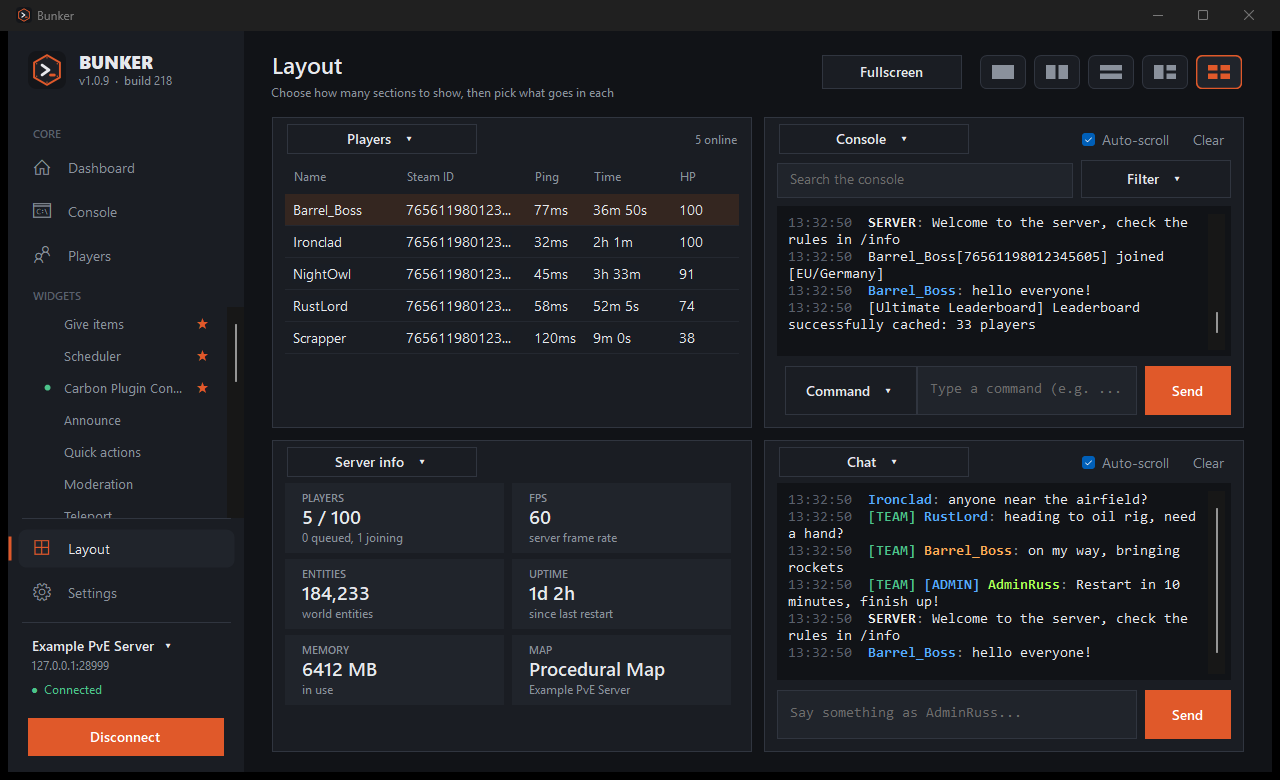
Layout. Split the window into one, two or four sections and put any panel or widget in each. Fullscreen turns it into a wall display.
Staying connected. If the connection drops, Bunker keeps trying to get it back and says so in the console. It can live in the system tray, and Windows will tell you about chat watch-words or a lost connection while it is minimised.
Multi Server
If you run more than one server, this page shows up to six of them as equal cards that fill the window. Each card says whether the server is online (and why not, if it is not), the player count, FPS, uptime, a player chart and who is on, with their ping.
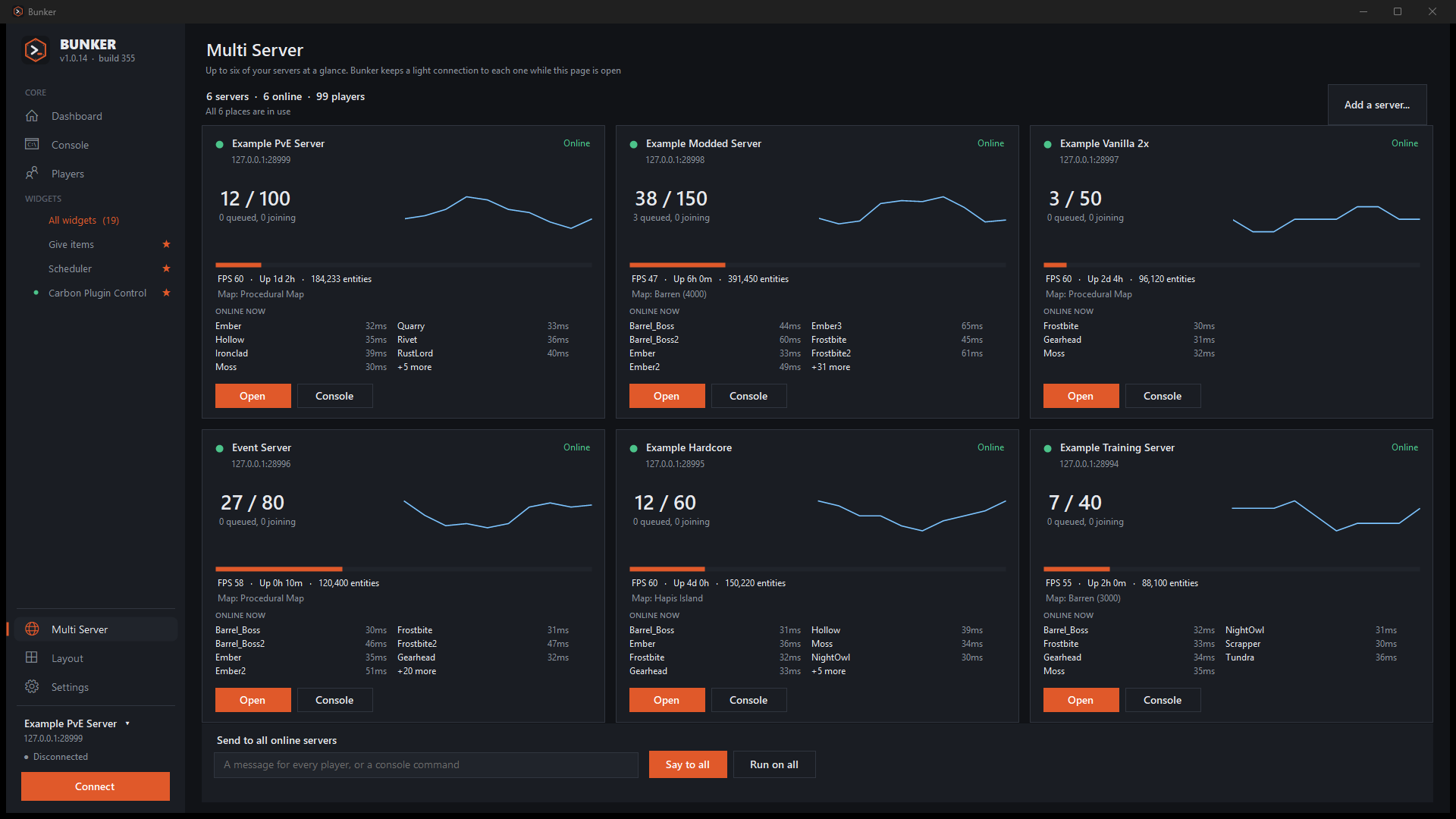
Open and Console on a card switch to that server and jump straight in. The box along the bottom says something to every online server, or runs a command on all of them, and asks you to confirm first. Bunker keeps the extra connections open only while this page is showing. With more than six saved servers, you choose which six to show.
Screens
Click any picture to see it full size.
Set up
You need a Rust server you can edit the startup line of, and its RCON port reachable from your PC.
-
Turn on WebRCON
Add this to the server's startup parameters and restart it. On a hosted server, open the RCON port in the firewall or control panel too.
+rcon.web 1 +rcon.port 28016 +rcon.password "choose-a-strong-password" -
Install Bunker and add the server
On first launch the welcome screen asks for a name (optional), the server address, the RCON port and the RCON password. Tick I have more servers to add to enter several in a row. If you use RustAdmin, Settings can import its server list.
-
Press Test & connect
Bunker checks the connection before it saves anything. If the server is offline right now, choose Save without testing.
Optional: for chat under your own name, put the small BunkerChat plugin in your Carbon or Oxide plugins folder. It adds one admin-only command,
bunker.say. Bunker works without it.
Commands
These are the console commands behind each feature. The server's reply always shows in the console, so you can see what happened.
| Feature | Commands |
|---|---|
| Live data | serverinfo, playerlist |
| Chat and announcements | say, and bunker.say from the optional BunkerChat plugin |
| Quick actions | server.save, env.time, restart |
| Moderation | kick, banid, unban, mute, unmute, server.writecfg |
| Teleport | teleport |
| Give items | inventory.giveto, inventory.giveall |
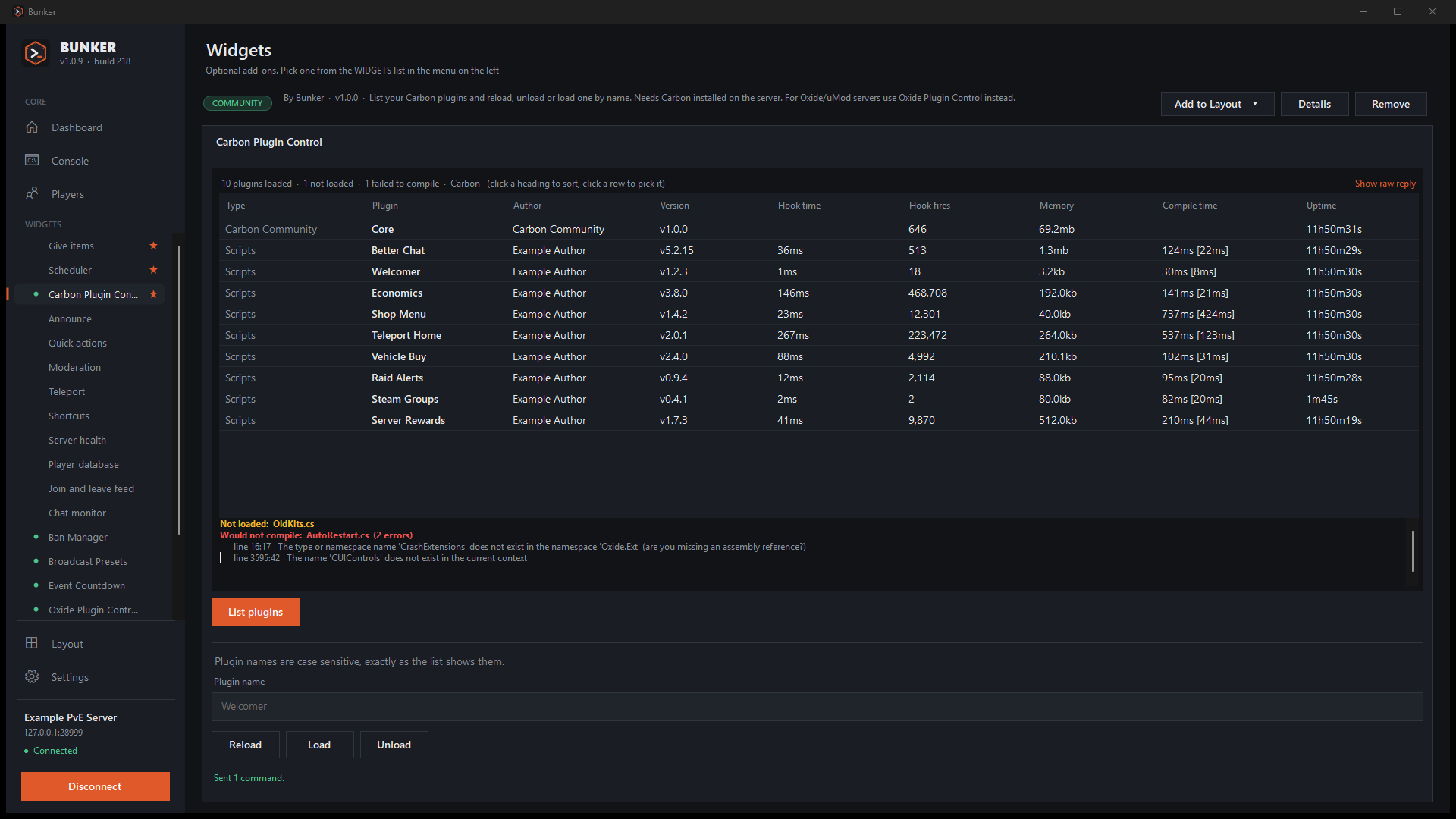
| Plugin control | Carbon: c.plugins, c.reload, c.load, c.unload. Oxide: oxide.plugins, oxide.reload, oxide.load, oxide.unload |
Command syntax follows public Rust admin references and can differ between server versions and plugins.
Widgets
A widget is a small .json file that adds fields and buttons to Bunker. It is never a program. This one rewards everyone online with a resource:
{
  "id": "resource-drop",
  "name": "Resource Drop",
  "description": "Reward everyone online with a resource.",
  "controls": [
    { "type": "choice", "id": "item",
      "options": ["wood", "stones", "scrap"] },
    { "type": "number", "id": "amount",
      "default": 500, "min": 1, "max": 5000 },
    {
      "type": "button",
      "text": "Give to everyone",
      "confirm": "Give {amount} x {item} to EVERY player?",
      "commands": [
        "inventory.giveall {item} {amount}",
        "say \"Everyone just received {amount} {item}!\""
      ]
    }
  ]
}
Before you install a widget, Bunker lists every command it can send and marks the risky ones (kick, ban, restart, give-to-everyone). A widget cannot change RCON settings or admin rights, run scripts or reach the network, and anything typed into one has quotes, semicolons and control characters removed first. Beyond buttons, widgets can show live stats, show command replies (a plugin list becomes a sortable table) and run timed sequences with a Stop button.
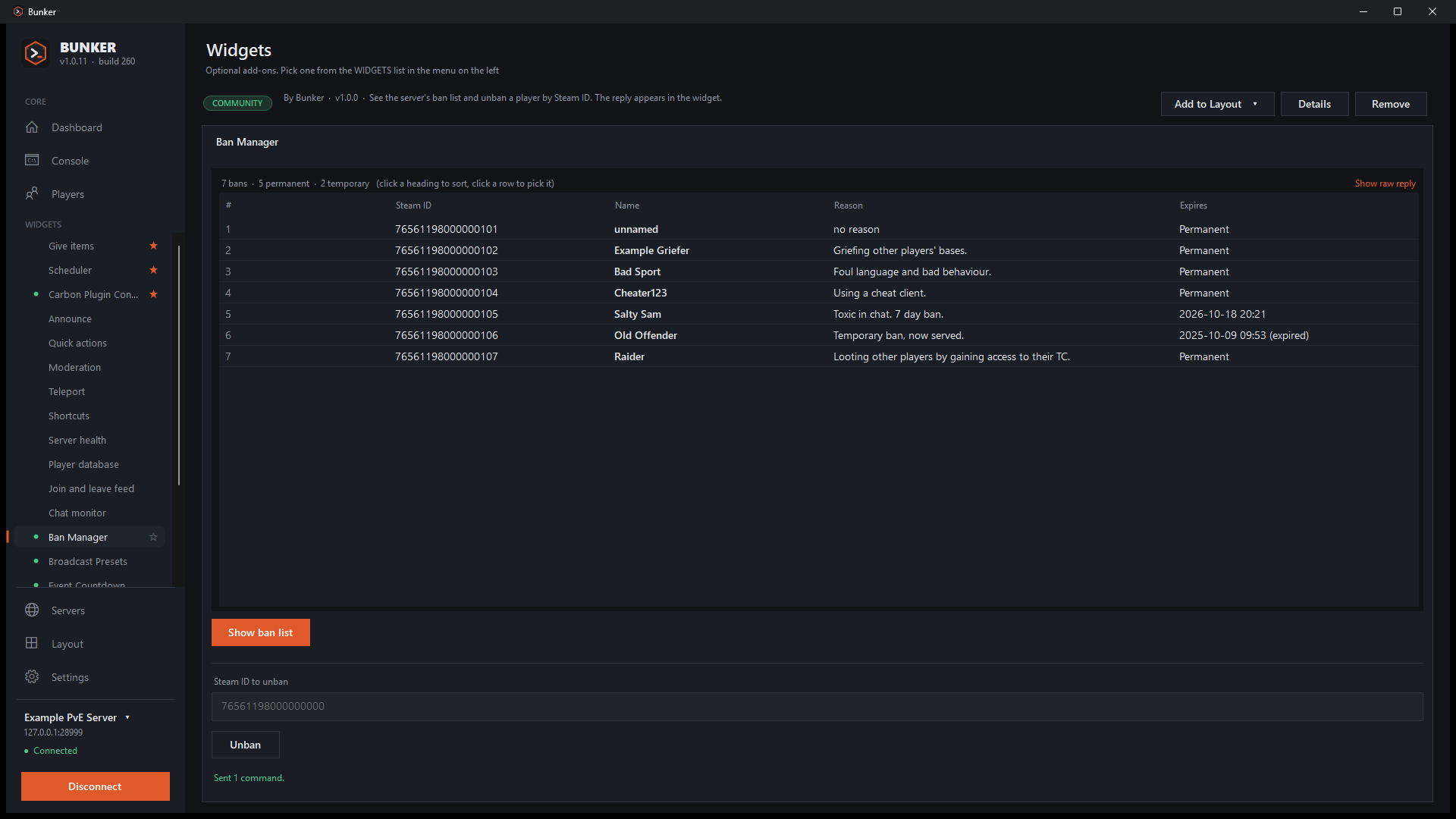
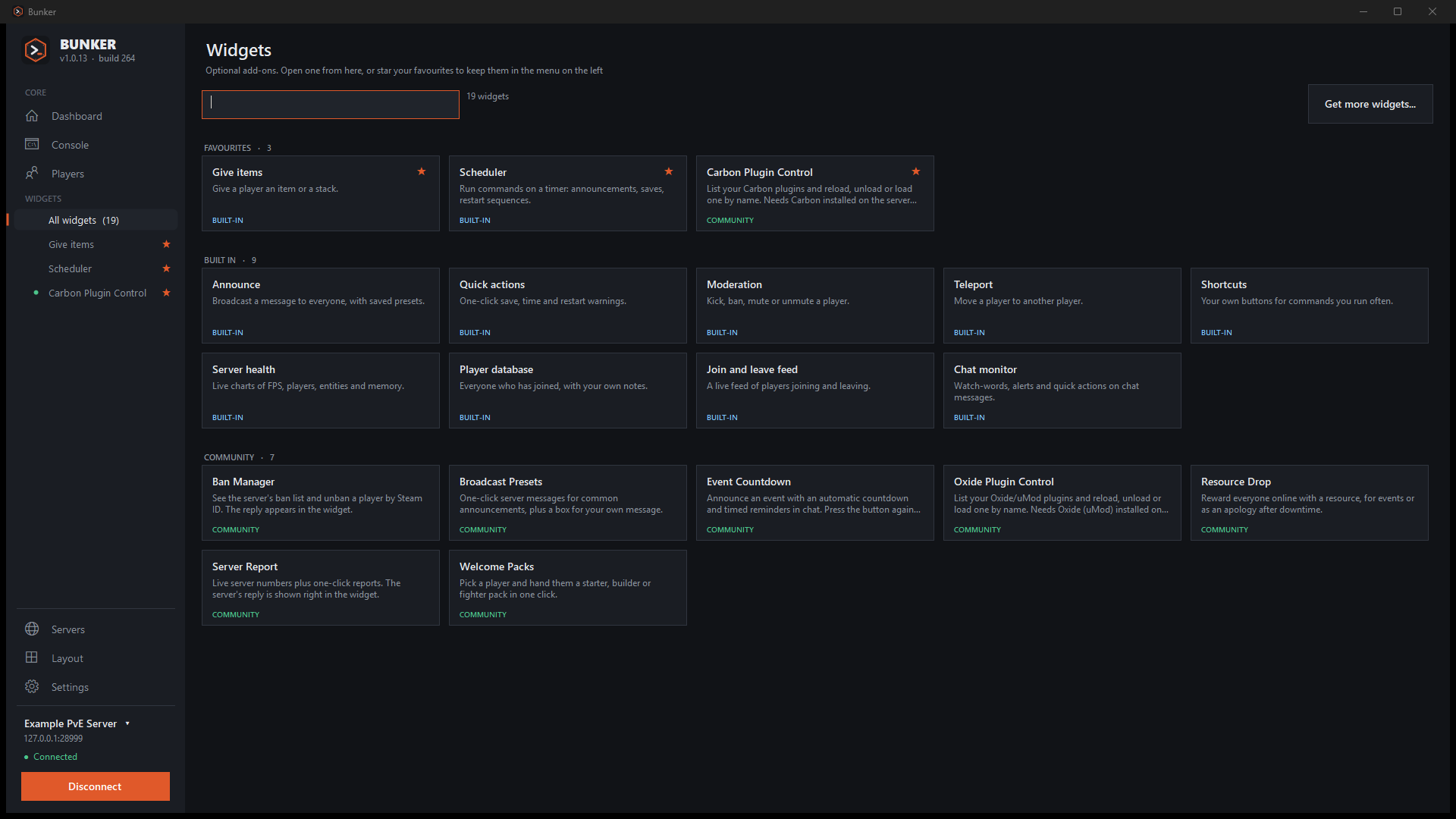
There are starters for Welcome Packs, Broadcast Presets, Resource Drop, Event Countdown, Server Report, Ban Manager, and Carbon and Oxide plugin control. The widget guide explains how to write your own.
What it doesn't do
- It is Windows only (10 and 11). There is no Mac or Linux version.
- It needs WebRCON switched on, with the port reachable from your PC. It does not work around a closed firewall.
- Chat under your own name needs the BunkerChat plugin on the server (Carbon or Oxide). Without it, Bunker uses plain
saywith your name in the text. - The Multi Server page shows six servers at a time.
- The standalone installer is not code-signed. The Store version is.
- Widgets can only send console commands you can see listed. They cannot run anything else.
Privacy
Bunker runs on your PC. Your servers, settings, notes and player database stay in your Windows profile, and RCON passwords are encrypted with Windows DPAPI so only your Windows account can read them. It connects to your own server, and to GitHub for update checks, the widget library and the Rust item list and pictures. There are no analytics and nothing else is sent anywhere. Updates always ask first, and uninstalling removes everything, including saved data if you say yes. The full policy is short.
Changes
- 1.0.1514 Oct
- Multi Server shows up to six servers side by side, all the same size. Add servers and choose which six to show from the page. The welcome screen can add several servers in a row.
- 1.0.1413 Oct
- A Widgets page of tiles with search. The sidebar lists only your favourites. Saved files go to Documents\Bunker\Exports.
- 1.0.1313 Oct
- Export the console to a text file and the player database to CSV. A short note appears after each update.
- 1.0.1213 Oct
- The ban list is a sortable table with end dates.
- 1.0.1113 Oct
- A page showing every saved server, with send-to-all. Uninstalling removes saved data too, after asking.
- 1.0.1013 Oct
- The X asks whether to minimise or close. Automatic reconnect. A tray icon and Windows notifications.
- 1.0.912 Oct
- The right-click player menu in the player database. The console asks before sending ordinary words as a command.
- 1.0.812 Oct
- A Command / Chat switch. Favourite widgets. Colours for chat tags such as [ADMIN].
- 1.0.712 Oct
- A cleaner widget page, and widget updates listed in Settings.
- 1.0.612 Oct
- Hide console messages by plugin or by words. Update checks no longer hit GitHub's rate limit.
- 1.0.512 Oct
- Chat under your own name, with the BunkerChat plugin.
- 1.0.412 Oct
- Chat looks like the game. Carbon and Oxide plugin lists as sortable tables.
Releases are on GitHub. The first version was tagged on 11 October 2026.
Questions
Is it free?
Yes. It is open source under the MIT licence.
Do I need Carbon or Oxide?
No. Any Rust server with WebRCON on works, including vanilla. Carbon and Oxide add the plugin tables and plugin-control widgets, and the optional chat plugin.
Does it work with a hosted server?
Yes, if the RCON port is reachable from your PC. On most hosts that means opening it in their control panel.
How many servers can I save?
As many as you like. The sidebar switches between them, and Multi Server shows six at a time.
Is it made by Facepunch?
No. Bunker is an independent community tool. Rust is a trademark of Facepunch Studios, and Bunker is not affiliated with or endorsed by them.
Something is broken, or I want a feature.
Open an issue on GitHub with the steps to reproduce it.